.png?width=300&height=71&name=original_logo(L).png)
When to Use a Directional Antenna
Directional antennas are strongly recommended in the following scenarios:
-
Aisle displays and endcaps
-
Screens with foot traffic behind or beside the display
-
Narrow corridors or controlled viewing zones
-
Installations where line-of-sight detection is required
-
Environments with high RF noise or dense electronics
By physically constraining the RF coverage area, directional antennas ensure that only audience activity in front of the display is captured—filtering out irrelevant movement and improving data accuracy.
Supported BrightSign Wireless Modules
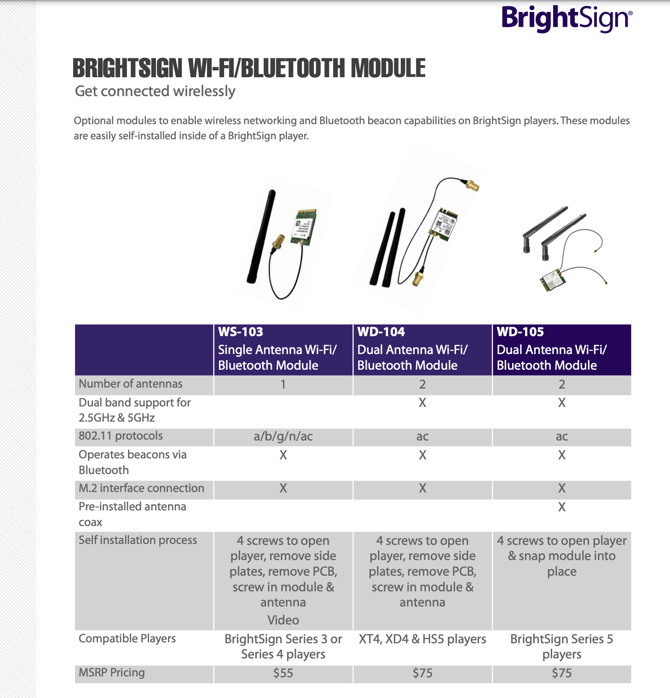
Directional antennas connect to BrightSign Players through approved dual-antenna Wi-Fi / Bluetooth modules.
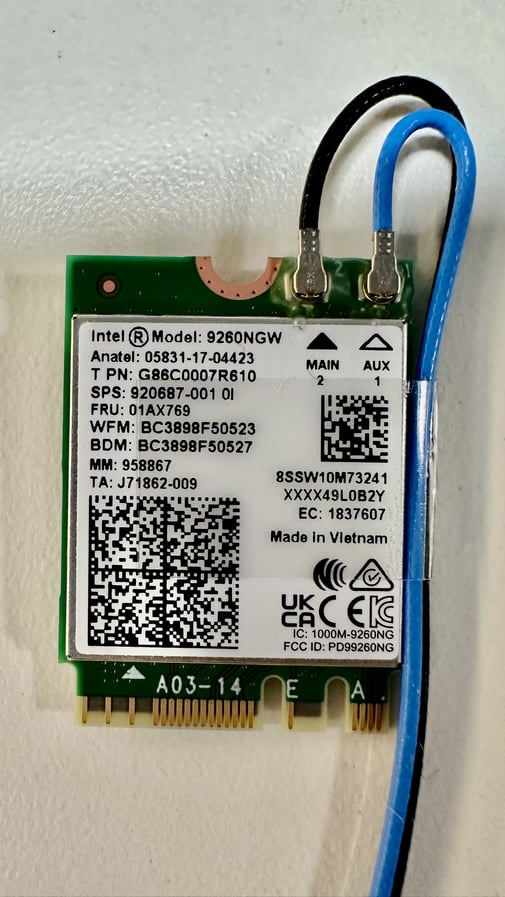
Antenna Ports
-
MAIN (Black cable)
-
Dedicated to Wi-Fi
-
-
AUX (Blue cable)
-
Dedicated to Bluetooth
-
For SignMetrix audience measurement and Bluetooth-based sensing, ensure that the directional antenna is connected to the AUX (blue) port.
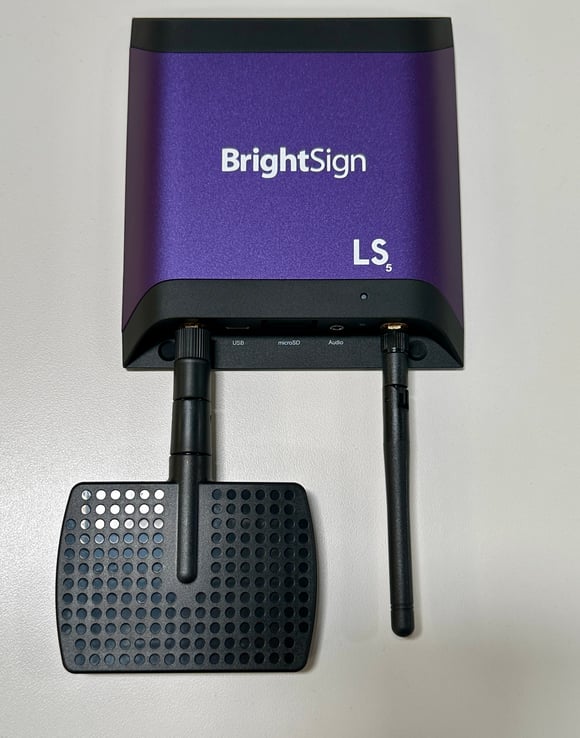
Connecting a Directional Antenna
-
Power off the BrightSign Player.
-
Identify the AUX (blue) antenna cable on the wireless module.
-
Attach the directional antenna using an RP-SMA connector.
-
Hand-tighten only—do not over-torque.
-
Power on the player and confirm wireless connectivity.
Directional Antenna Orientation
Directional antennas emit and receive signals in a cone-shaped detection zone, with the narrowest point at the antenna face and widening outward.
-
Aim the antenna directly toward the audience area
-
Ensure the front plane of the antenna faces the intended detection zone
-
Avoid angling the antenna toward walls, ceilings, or reflective surfaces
The maximum detection range of directional antennas can exceed 300 feet, depending on antenna gain and environmental conditions.
Placement Best Practices
Height and Positioning
-
Recommended mounting height: 5–10 feet
-
Position the antenna at or slightly above screen height
-
Maintain clear line-of-sight to the audience area
Interference Avoidance
-
Avoid direct glare from screens
-
Keep distance from large metal surfaces
-
Do not place antennas near power supplies or dense electronic clusters
Optimal Viewing Angle
The antenna should cover the primary dwell zone where viewers naturally stop or slow down, without overshooting into adjacent aisles or back-of-house areas.
Why Directional Antennas Improve Accuracy
In environments where foot traffic exists outside the intended viewshed, omnidirectional antennas may introduce noise. Directional antennas solve this by:
-
Narrowing the detection footprint
-
Eliminating behind-screen detections
-
Reducing false positives
-
Improving signal-to-noise ratio
-
Increasing attribution confidence for audience engagement metrics
This approach is particularly effective for:
-
Endcaps
-
Shelf-edge displays
-
Promotional islands
-
Wayfinding screens
Recommended Directional Antenna Models
The following antennas have been validated in retail and digital signage environments:
All recommended models support RP-SMA connectors and are suitable for Bluetooth-focused deployments. You can use an extension cable if needed.