.png?width=300&height=71&name=original_logo(L).png)
1. BrightSign Wi-Fi / Bluetooth Module Installation
To enable wireless communication on BrightSign devices, install the supported Wi-Fi/Bluetooth module.
Supported Modules
-
PN: WD105
-
PN: WD104
BrightSign Online Store Link
Installation Steps
-
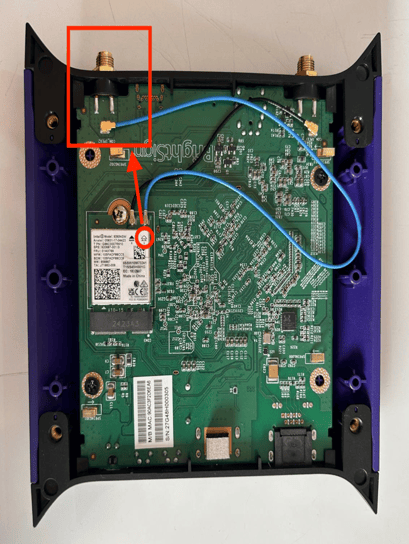
Insert the Wi-Fi/Bluetooth module into the designated module slot on the BrightSign device.
-
Secure the module using the appropriate screw.
-
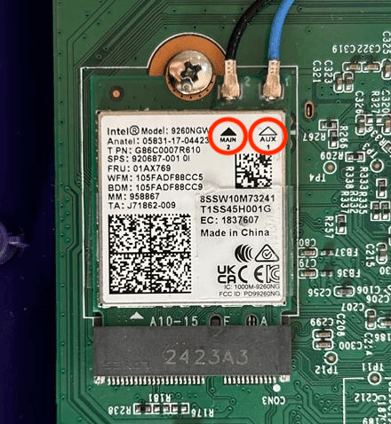
Connect the antenna cables to the AUX and MAIN ports on the module.
-
Clearly label the AUX port, as it will be used for the directional antenna setup.
Note: Proper identification of AUX is critical for directional signal optimization.
For more information:
https://docs.brightsign.biz/hardware/wd105-wi-fi-kit-series-5-and-6
2. Antenna Types
Understanding antenna behavior is key to optimizing wireless performance.
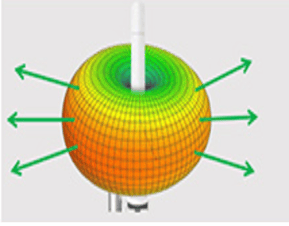
Omnidirectional Antenna
-
Radiates signal uniformly in all directions (360° coverage)
-
Commonly used in standard Wi-Fi setups
-
Suitable for general-purpose connectivity
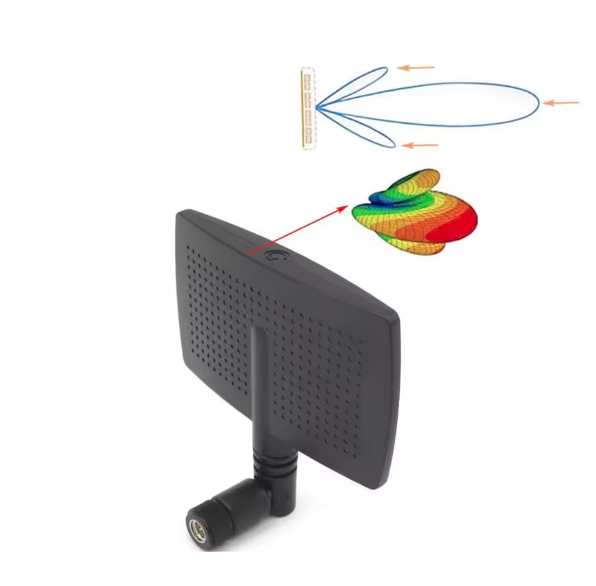
Directional Antenna
-
Focuses signal in a specific direction
-
Provides extended range and targeted coverage
-
Ideal for controlled detection zones and measurement accuracy
3. Directional Antenna Setup
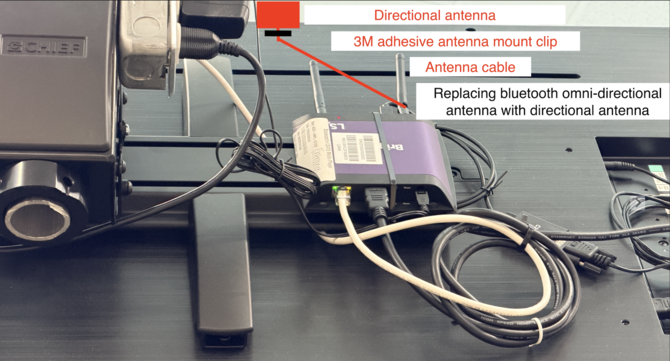
Directional antennas are used to focus Bluetooth signal detection into a defined area.
Installation Guidelines
-
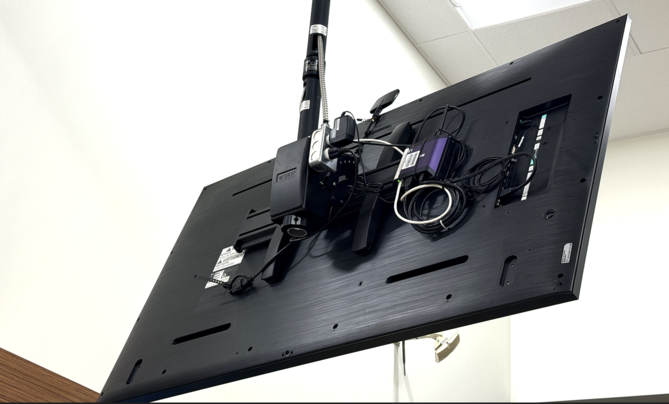
Connect the directional antenna to the AUX port of the BrightSign device.
-
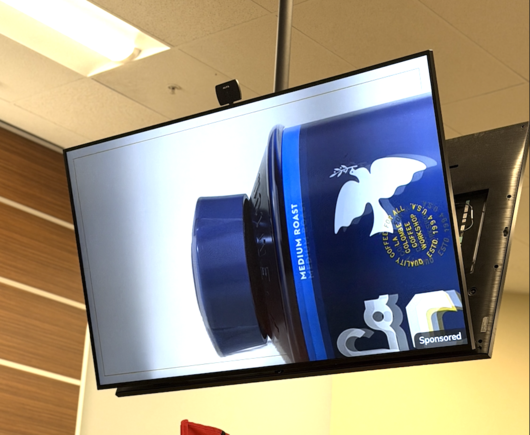
Position the antenna facing the desired detection area (e.g., customer interaction zone).
-
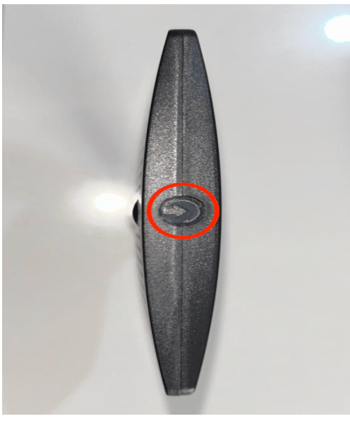
Adjust the antenna angle to align with the target coverage zone.
-
Ensure the antenna orientation matches the indicated signal direction on the device.
Placement Best Practices
-
Mount the antenna above the display
-
Avoid obstructions such as metal surfaces
-
Maintain a clear line of sight to the measurement area
Why Directional Antennas Improve Accuracy
In environments where foot traffic exists outside the intended viewshed, omnidirectional antennas may introduce noise. Directional antennas solve this by:
- Narrowing the detection footprint
- Eliminating behind-screen detections
- Reducing false positives
- Improving signal-to-noise ratio
- Increasing attribution confidence for audience engagement metrics
This approach is particularly effective for:
- Endcaps
- Checkout front displays
- Promotional islands
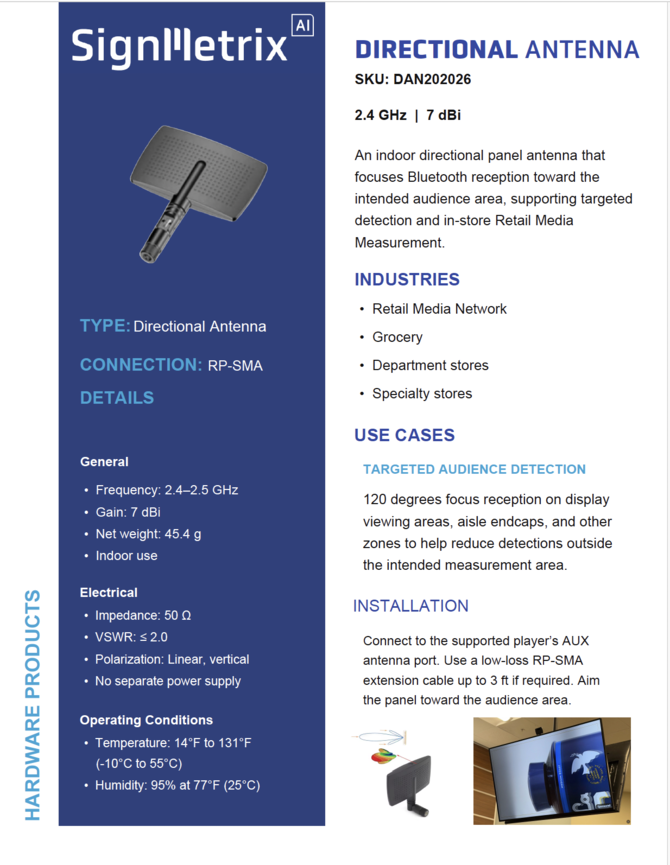
Recommended Directional Antenna Model
The following antennas have been validated in retail and digital signage environments:
Extension Cable Usage
-
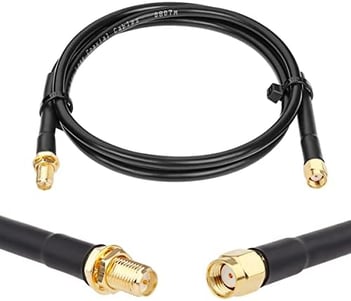
If a direct connection is not feasible, use a low-loss RF extension cable
-
Maximum recommended length: 3 feet
-
Use RP-SMA male-to-female coaxial cables for compatibility
Note: Excessive cable length may result in signal degradation.
4. Optional: USB Bluetooth Dongle
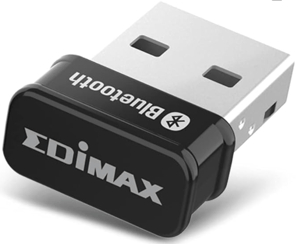
In scenarios where onboard Bluetooth is insufficient or unavailable, a USB Bluetooth adapter can be used.
Supported USB Dongle Model
-
Edimax BT-8500 Bluetooth 5.0 Nano USB Dongle
- Plug-and-play compatibility ( BrightSign and SignMetrix)
5. Key Considerations
-
Always use the AUX port for directional antenna deployment
-
Ensure proper antenna orientation for accurate signal targeting
-
Minimize interference by avoiding reflective or metallic environments
-
Validate signal coverage after installation
Summary
This setup enables:
-
Reliable Bluetooth signal capture
-
Targeted detection zones
-
Improved measurement accuracy for in-store analytics
When properly configured, the combination of BrightSign hardware and directional antennas provides a scalable and precise wireless measurement foundation.