.png?width=300&height=71&name=original_logo(L).png)
Overview
SignMetrix IoT sensors wirelessly send triggers to BrightSign Players using Bluetooth communication.
When a SignMetrix Lift&Learn sensor detects lift motion or movement, the BrightSign Player receives the event locally and forwards a UDP JSON payload to your CMS or local application through localhost communication.
This allows CMS platforms, HTML applications, kiosk software, and interactive experiences to react instantly to real-world movement events while collecting interaction analytics data at the same time, without requiring cloud round trips.
Typical use cases include:
- Interactive digital signage
- Wake-on-motion experiences
- Proximity-triggered content
- Retail engagement triggers
- Sensor-driven kiosk activation
- Audience interaction workflows
How It Works
- The SignMetrix IoT sensor remains in low-power monitoring mode.
- When lift motion or movement is detected, the sensor wakes up within a couple of seconds and broadcasts a Bluetooth signal.
- The BrightSign Player detects the sensor event locally.
- The player sends a UDP JSON message to localhost.
- Your CMS or application listens to the UDP socket and reacts accordingly.
Local UDP Configuration
UDP Target
127.0.0.1:6000- IP Address:
127.0.0.1 - Port:
6000 - Protocol:
UDP
Communication remains fully local inside the BrightSign Player.
Example JSON Payload
ProductInfo {

   String smartBox; // Identity of the smart box

   String smartTag; // Identity of the smart tag

   String action; // Action name: PICKSTART or PICKEND

   Long standId; // Id of the stand

   String stand; // Name of the stand

   Long storeId; // Id of the store

   String store; // Name of the store

   Long productId; // Id of the product

   String product; // Name of the product

   String productCode; // Product code

   String imageUrl; // Image URL of the product.

   String videoUrl; // Video URL of the product.

   String websiteUrl; // Website URL of the product.

   String salesUrl; // Sales URL of the product.

}
PICKSTART
[{

"smartBox": "C42AFE000407",

"smartTag": "A233FA174C7A",

"action": "PICKSTART",

"standId": 4671,

"stand": "Demo Stand",

"storeId": 34235,

"store": "Demo Store",

"productId": 34123,

"product": "XT Product Line",

"productCode": "XT-Product-Line",

"imageUrl": "https://cdn.picknwatch.com/acdn1/assets/pnw/ASSET/12/PRODUCT/788/4788_4953_PicknWatch.jpeg",

"videoUrl": "https://cdn.picknwatch.com/acdn1/assets/pnw/ASSET/12/PRODUCT/788/4788_3860_PicknWatch.mp4",

"websiteUrl": "https://www.brightsign.biz/",

"salesUrl": "https://www.brightsign.biz/digital-signage-products/XT-product-line"

}]
PICKEND
[{

"smartBox": "C42AFE000407",

"smartTag": "A233FA174C7A",

"action": "PICKEND",

"standId": 4671,

"stand": "Demo Stand",

"storeId": 34235,

"store": "Demo Store",

"productId": 34123,

"product": "XT Product Line",

"productCode": "XT-Product-Line",

"imageUrl": "https://cdn.picknwatch.com/acdn1/assets/pnw/ASSET/12/PRODUCT/788/4788_4953_PicknWatch.jpeg",

"videoUrl": "https://cdn.picknwatch.com/acdn1/assets/pnw/ASSET/12/PRODUCT/788/4788_3860_PicknWatch.mp4",

"websiteUrl": "https://www.brightsign.biz/",

"salesUrl": "https://www.brightsign.biz/digital-signage-products/XT-product-line"

}]
CMS Integration Requirements
Your CMS or local application should support:
- UDP socket listening
- Localhost communication
- JSON parsing
- Real-time event handling
Can Your CMS Listen for UDP Messages?
Your CMS or application must be capable of listening for UDP packets on:
127.0.0.1:6000Typical Event Flow
Idle State
The display or experience remains idle.
Product Lift or Movement
A shopper lifts or moves the product attached to the SignMetrix Lift&Learn sensor.
Sensor Wake-Up
The sensor wakes up and broadcasts a Bluetooth signal.
BrightSign Detection
The BrightSign Player receives the event locally.
UDP Trigger
The BrightSign Player immediately sends a UDP JSON package to localhost.
CMS Action
The CMS or application can then:
- Launch product videos
- Trigger animations
- Change playlists
- Wake up displays
- Start interactive experiences
- Collect engagement analytics
- Record Lift&Learn interaction events
Key Benefits
- No cloud dependency for triggering
- Near real-time responsiveness
- Fully local event processing
- Simultaneous analytics collection
- Low latency interaction workflows
- Simple CMS integration
- No additional gateway hardware required
Important Notes
- Communication is local-only and does not require internet connectivity for triggering.
- Sensors use Bluetooth Low Energy (BLE) broadcasting.
- UDP messaging is optimized for low-latency event delivery.
- JSON payload structure may vary depending on firmware version and sensor type.
- Multiple sensors can operate simultaneously with a single BrightSign Player.
Additional Information
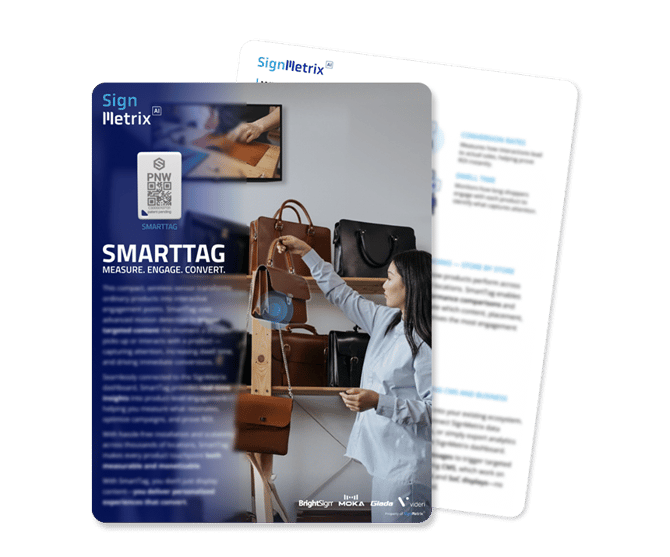
Click here to get the SmartTag brochure
Click here to get the IoT sensors brochure
Click here to view SmartTag's Webpage
For advanced integration support, custom event mapping, or BrightSign extension deployment assistance, contact the SignMetrix Support Team.